
CineDash
Smart it supportLifestyle
4.6678.00 Reviews
- Version
- 1.0.2.0
- Installs
- 500.00K
- Age Rating
- Everyone
Screenshots
Our Review of CineDash
 Analysis by Appyee
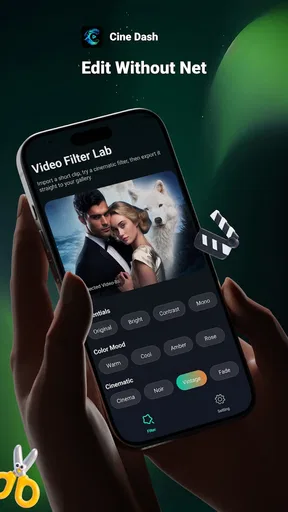
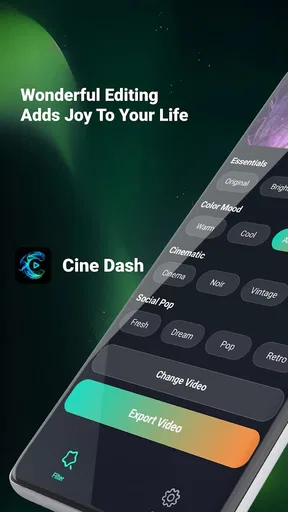
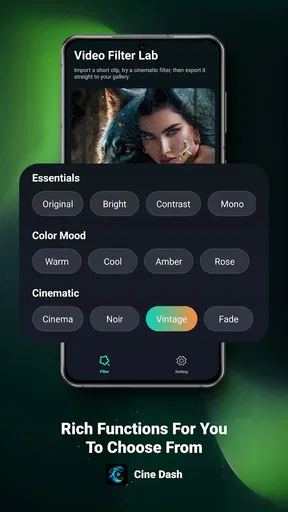
I tried CineDash as a lightweight lifestyle app built around one simple idea: adding filters to videos without turning the process into a full editing project. That narrow focus is also its appeal. Instead of asking you to learn a large timeline editor, it aims to make visual changes feel quick and approachable, which suits casual clips, social posts, and small personal projects.
The app comes from Smart it support and is free to use. It has an age rating for Everyone, so its basic positioning is easy to understand: this is intended for ordinary users rather than a specialist audience. I found the experience most convincing when I wanted to improve the mood of a short recording in a few moments, not when I needed detailed control over every part of a production.
Its current version is 1.0.2.0, and that matters when judging the app. CineDash feels like an early, focused tool rather than a mature replacement for a complete mobile editor. I would recommend giving it a fair try if your main goal is visual styling, while keeping your expectations realistic about the boundaries of a filter-first workflow.
How CineDash feels in everyday use
The first thing I noticed is how clearly the app’s purpose shapes the experience. A conventional video editor usually presents a crowded workspace: trimming controls, audio tracks, transitions, captions, speed adjustments, overlays, and sometimes an intimidating collection of export settings. CineDash is easier to understand because its central task is much smaller. You bring attention to the appearance of the footage and decide whether a filter gives it the look you want.
That makes it particularly useful for people who already have a finished or nearly finished clip. Imagine recording a short video during an evening walk, a family gathering, or a weekend trip. The content is fine, but the raw image feels flat or inconsistent with the mood you had in mind. Rather than opening a large editor and navigating several menus, you can use this kind of focused tool to test a visual treatment and judge the result directly.
I also think the app is a good fit for users who do not want to become “video editors” just to make occasional improvements. The learning curve should be easier than with an all-purpose alternative because the decision is primarily visual: compare the available appearance options, choose the one that works, and avoid over-processing the clip. That simplicity can be more valuable than a long feature list when you are working from a phone.
There is a subtle advantage to a limited toolset here. When an editor offers dozens of adjustments, it is easy to spend more time correcting a clip than enjoying the original moment. A filter-based workflow encourages a faster decision. In my view, CineDash works best when you treat it as a finishing step rather than the place where an entire video is created from scratch.
A practical workflow for short clips
My preferred way to approach the app is to start with the unedited video and decide what is actually wrong with it. If the scene already has the right brightness and color balance, applying a strong filter may make it less natural. If the recording feels visually dull, a restrained filter can give it more character without requiring a complicated adjustment process.
I would preview several options before committing, but I would not choose solely because one looks dramatic on the phone screen. Small displays can make heavy contrast or intense color seem exciting at first. After saving or sharing, that same treatment may look harsh on another screen. A useful habit is to compare the filtered result with the original more than once and ask whether the effect supports the subject instead of hiding it.
Another practical tip is to group clips by mood rather than applying one favorite look to everything. A bright outdoor recording and an indoor evening clip may need different treatment. Using the same filter automatically can make a collection feel uneven, especially when the lighting conditions change. CineDash is more useful when the filter is selected for the footage, not when the footage is forced to match a preset.
For a short social video, I would also keep the original file until I am satisfied with the result. A focused filter app is convenient, but convenience can encourage quick replacements. Keeping the untouched recording gives you a safe fallback if the effect feels excessive later or if you decide to use a different editing app for sound, trimming, or captions.
Where the focused design helps
The strongest part of the experience is the reduced mental load. I did not have to think about a full production sequence when my only concern was the visual tone. That makes CineDash approachable for casual creators, parents preparing a small family montage, travelers polishing a few clips, and anyone who wants a more deliberate look before sharing a video.
It can also help people who feel overwhelmed by feature-heavy alternatives. Many established editors are powerful, but power brings decisions. A user who only wants a quick visual change may abandon the process after encountering layers, tracks, keyframes, or export choices. CineDash’s narrow purpose gives it a clearer reason to exist: it can be the small tool you open when a large editor would be unnecessary.
The app has also attracted a substantial audience, with over 500 thousand installs and an average rating of 4.6 from around 16 thousand ratings. Those figures suggest that the straightforward concept is connecting with many users, although they should not be mistaken for proof that it covers every editing need. A popular focused tool can still be the wrong choice for someone looking for precise production controls.
What the current release tells me
The release date of March 26, 2026 and the current version place CineDash at an early point in its product life. I see that as both an opportunity and a limitation. The opportunity is that the app has room to become more refined while keeping its simple identity. The limitation is that an early release should be judged primarily on whether its central task is useful and dependable, not on expectations that it already match long-established editing suites.
From a reviewer’s perspective, the version number is a reminder to separate what is present today from what might arrive later. I would not install CineDash expecting a complete creative studio simply because video editing is a broad category. Its confirmed role is much more specific: it is a convenient way to apply visual filters to video. That clarity makes the app easier to evaluate honestly.
For existing users, a newer release in this early stage may be most meaningful when it improves the basic path from opening a clip to reviewing the result. Small refinements in selection, preview behavior, stability, or saving can matter more than flashy additions. A filter app lives or dies by how quickly users can judge an effect and preserve a result without confusion.
I would watch how Smart it support develops the product without allowing it to become cluttered. Adding every possible editing feature could remove the very simplicity that makes CineDash attractive. On the other hand, carefully chosen improvements around organization and control could make it more useful without changing its character.
Who should use it, and who should skip it
I would point CineDash toward someone who wants to change the mood of a video rather than rebuild the video. It is a sensible choice for quick personal clips, casual sharing, visual experiments, and users who prefer a smaller interface. It is also worth considering if you rarely edit and do not want to learn a complicated tool for a task you may perform only occasionally.
I would be more cautious about recommending it to a creator who needs a complete workflow in one place. If your project depends on precise cuts, voice-over timing, subtitles, layered graphics, detailed audio work, or complex transitions, a traditional mobile editor is likely a better fit. Using a filter-focused app first and then moving the result into another editor may add an unnecessary step, especially when color treatment is only one part of the job.
There is also a difference between creative control and creative speed. CineDash favors speed. That is helpful when you know roughly what you want, but less helpful when you need to tune a look carefully for different lighting conditions. A preset can provide a fast direction, yet it may not solve uneven exposure, distracting backgrounds, or poor framing. No filter can replace a better original recording or a more precise correction tool.
Users who want a completely natural result should be selective. Filters can change skin tones, skies, shadows, and highlights in ways that are not immediately obvious during a quick preview. I would use the least intense treatment that accomplishes the goal, particularly for family videos or scenes where accurate color matters more than style.
How it compares with familiar alternatives
Compared with a standard all-in-one video editor, CineDash is less ambitious but potentially faster for one specific job. A full editor gives you more room to shape a project from beginning to end. CineDash gives you a shorter path to visual variation. The better choice depends on whether the filter is the main task or merely one item on a longer checklist.
Compared with editing directly inside a social platform, a dedicated filter app can encourage a more deliberate process. You can think about the appearance before you reach the final posting screen, rather than making a quick adjustment while also dealing with captions, music, audience settings, and publishing decisions. That separation may be useful for someone who wants to review the visual result calmly.
There is a trade-off, though. Social apps and full editors often combine their visual tools with sharing or broader creative features. CineDash’s focused approach means you may still need another destination for the rest of the project. I would choose it when I value a clean visual pass, not when reducing the number of apps is my top priority.
It also differs from manual color-adjustment tools. Manual controls can be slower, but they offer a better chance of correcting a specific problem, such as a blue indoor cast or overly dark shadows. CineDash is more approachable when the goal is style and speed. A manual editor remains preferable when accuracy and repeatable correction matter more than convenience.
Small habits that improve the results
One useful workflow is to create a personal shortlist of filters based on the kinds of videos you actually record. Instead of testing everything every time, identify a few looks that behave well with outdoor daylight, indoor lighting, and evening scenes. This reduces decision fatigue while still leaving room to compare the final candidates.
I would also review the clip at its beginning, middle, and end before deciding. A filter that looks attractive on the opening frame may become distracting when the lighting changes later. This is especially important for recordings made while walking or moving between rooms. Checking more than one moment helps prevent a visually appealing first impression from hiding an inconsistent overall result.
For a series of related clips, consistency is more important than making each individual video look spectacular. I would select a similar visual direction across the set and avoid choosing the strongest effect for every file. A collection feels more intentional when the clips belong together, even if each one is not maximally stylized.
Finally, I would treat the app as part of a simple two-stage process when necessary: use CineDash for the look, then use a broader editor only if the project needs trimming, sound, text, or sequencing. That approach keeps the specialized task quick while avoiding the mistake of expecting one small app to handle every production requirement.
Questions I would consider before installing
If you are wondering whether the app costs anything, CineDash is free, which makes it easy to test without committing money to a narrow editing purpose. The more important question is whether your clips mainly need a visual treatment. If they need several other kinds of editing, the free download may still lead to a workflow that requires another tool.
Device compatibility is also straightforward for many older phones because the minimum operating system is Android 7.0. That broad baseline is helpful if you are not using a recent device. Still, the practical experience can depend on the phone’s storage, camera files, and general performance, so I would keep enough free space for working with video rather than assuming every handset will behave identically.
Parents and families may also ask whether the app is suitable for younger users. Its Everyone content rating indicates a broadly accessible audience, but ordinary digital habits still apply. I would supervise sharing choices and keep original family recordings organized, especially when several people use the same device.
Another sensible question is whether a filter can rescue poor footage. In my experience, it can change atmosphere, but it cannot fix every underlying problem. Shaky framing, muffled sound, missed focus, and severe exposure issues remain production problems. CineDash is best viewed as a finishing aid, not a repair shop for fundamentally unusable video.
What I would like to see next
As the app continues beyond its early release, I would pay attention to whether its basic filter workflow becomes more predictable and flexible without becoming complicated. Better organization would be valuable for people who work with many clips, while clear previews would help users make decisions before saving a processed version.
I would also welcome improvements that respect the difference between a quick stylistic effect and a correction workflow. If future changes add more control, they should remain understandable to someone who chose CineDash precisely because larger editors felt excessive. The product will be strongest if it expands carefully rather than chasing every feature found in established alternatives.
My overall view is positive but specific. CineDash is not a universal video editor, and it should not be judged as one. It is a focused lifestyle app for giving video a different visual feel with less effort than a full editing suite usually demands. I would recommend it to casual creators who value speed, simple choices, and a low-pressure way to experiment.
I would skip it when the project requires detailed timelines, serious audio work, or precise manual correction. For everyone else, the free price and accessible positioning make testing straightforward. The best reason to use CineDash is not that it replaces every alternative, but that it makes one common video task feel pleasantly manageable.
Verdict
Strengths of CineDash
- Clean interface makes browsing movies and shows quick and intuitive.
- Personalized recommendations help users discover relevant content faster.
- Detailed titles, ratings, and release information support informed choices.
- Search and filtering tools make finding specific content straightforward.
- Regular catalog updates help keep entertainment listings current.
Limitations of CineDash
- Availability of titles may vary by country or region.
- Some features may require an account or additional permissions.
- Recommendations can become repetitive without regular user interaction.
- Streaming quality depends heavily on your internet connection.
- The app may use noticeable storage for cached images and data.
Similar Picks in This Category
View All
SmartThings
Samsung Electronics Co., Ltd.4.6

Google Home
Google LLC4.0

Pinterest4.2

Astrotalk - Talk to Astrologer
Astrology & Horoscope4.7

My Verizon
Verizon Consumer Group4.5

Samsung Wallet (Samsung Pay)
Samsung Electronics Co., Ltd.4.1
Frequently Asked Questions
What is CineDash and what can I use it for?
CineDash is an entertainment app designed to help users discover and keep track of movies and television content. From the interface, you can browse titles, review basic information, explore recommendations, and organize films or shows you may want to watch later. It is best viewed as a discovery and planning tool rather than automatically assuming that every listed title can be streamed directly inside the app.
Is CineDash free to download and use?
CineDash may be available to download at no initial cost, but the exact experience can depend on the version installed, your platform, and any optional premium features offered by the developer. Before creating an account or confirming a purchase, check the app-store listing for subscriptions, in-app purchases, advertising, and trial conditions. Pricing and availability can also vary by country.
Can I watch movies and TV shows directly in CineDash?
Whether you can play a specific movie or show inside CineDash depends on the app’s current features, licensing agreements, and your region. Some titles may only provide information, trailers, ratings, or links to external streaming services. Availability can change over time, so users should open the title details and verify where content is legally available before downloading the app specifically for streaming.
Does CineDash require an account or an internet connection?
Some CineDash features may be accessible without registration, such as browsing selected content information, while personalized tools like watchlists, synchronization, ratings, or recommendations may require an account. An internet connection is generally needed to load catalogs, images, updates, and external service information. Offline access, if offered, may be limited and should not be assumed for every feature.
Is CineDash safe and suitable for all users?
CineDash should be downloaded from an official app store and checked against the listed developer, permissions, privacy policy, age rating, and recent user reviews. Movie and television information may include mature titles, promotional material, or links to third-party services, so parental guidance can be appropriate. Avoid unofficial download files, and review account and notification settings if you have privacy concerns.
